Boosting RSI for AI Infra
G-Watch is an advanced analysis framework for GPU execution. It integrates a comprehensive toolset featuring binary-level intra-kernel tracing (Xtrace), binary analysis, microbenchmarking, and more. It equips AI agents with precise data for autonomous NVIDIA and AMD kernel optimization.
G-Watch is an open-source project under Mars Compute.


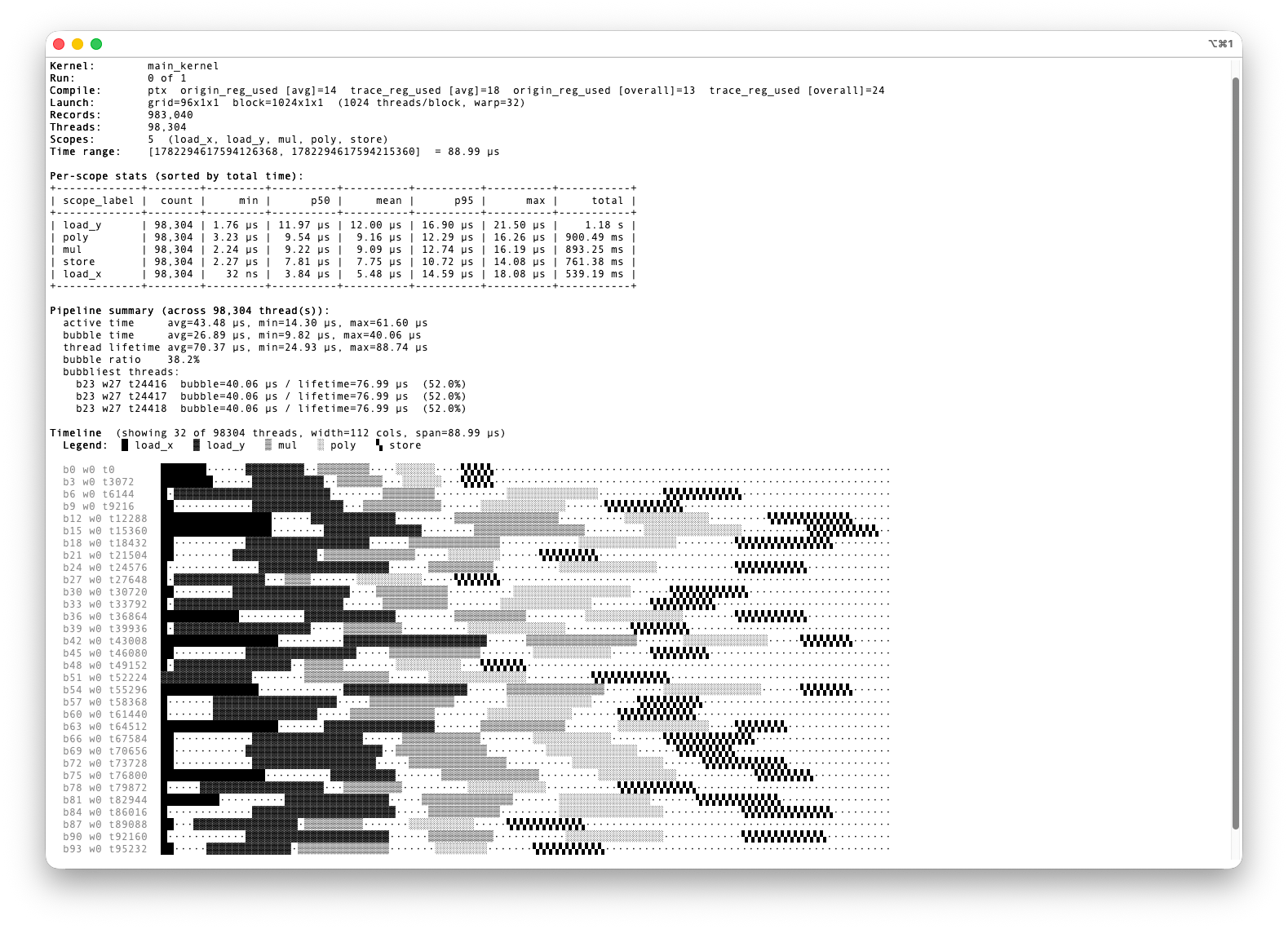 Agent View
Intra-kernel Tracing (Xtrace)
See the phase timeline inside a single kernel: load, compute, epilogue, and the bubbles between them. Mark scopes in CUDA, TileLang, CuTeDSL, or Triton, then read the trace as a human report or an agent view.

Counter-based profiling
Range profiling collects per-launch hardware counters — occupancy, pipe/tensor-core utilization, memory throughput, achieved-vs-peak cycles — and PC sampling localizes the bottleneck to the instructions that stall and why (memory waits, dependency, divergence, throttles), mapped to source and SASS.
Binary analysis
Inspect compiler-generated SASS/AMDGPU binaries: demangle kernels, walk decoded instructions, map PC→source line, and dump the control-flow graph and basic blocks — for register analysis and binary instrumentation.
Agentic auto-optimization
Ships as agent skills that drive a reasoning loop: profile → hypothesize → apply one minimal change → verify correctness, performance, and hardware behavior. Works for CUDA C++, Triton, CuTe, TileLang, and HIP.
Quick start
Install in a minute
Install the package and the agent skills, then just ask your agent to profile a kernel.
$ pip3 install gwatch$ npx skills add mars-compute-ai/G-Watch -g
- 1
Install G-Watch
pip3 install gwatchpulls the profiling + program-analysis toolbox from PyPI. - 2
Install the agent skills
npx skills add mars-compute-ai/G-Watch -gdistributes the G-Watch skills to your coding agents globally. - 3
Ask your agent
e.g.
Load the gwatch intra-kernel tracing skill and trace the matmul kernel in bench.py— the agent profiles it and writes a report.
G-Watch supports NVIDIA and AMD GPUs and Google TPUs. See the docs for per-platform setup.